
Guideline: Using Two-Way Anonymous Messaging on Report + Support
Emergency Notice: This platform is not an emergency service. If you or someone else is in immediate danger, please contact emergency services by dialling 999 (or School’s security).
1. What is Anonymous Messaging?
Two-Way Anonymous Messaging is a feature on our Report + Support platform that enables ongoing, confidential dialogue between you and an advisor after you submit an anonymous report.
While your identity remains completely protected, this feature allows you to ask questions, receive tailored advice, and access support services.
2. Why Use Anonymous Messaging?
We are committed to providing a safe, supportive, and accessible space for raising concerns. Opting into two-way messaging gives you control over your experience, allowing you to:
- Get Additional Support: Ask questions or seek advice about your options without revealing your identity, ensuring you receive guidance in a safe and non-judgmental space.
- Continue the Dialogue: Share additional information, provide follow-up details later at your own pace, or check on progress without pressure.
- Further Support: Explore available resources in the School and discuss support options with an Anti-bullying & Harassment Advisor, helping you feel empowered before deciding whether you ever wish to transition to a named report.
3. How to Use Anonymous Messaging for Anonymous Reporting
- Step 1: Submit & Opt In Access the portal, select "Report Anonymously", and choose "Yes" when asked to enable two-way messaging.
- Step 2: Secure Your 16-Character Code The system will generate a unique 16-character passcode. Save this code in a secure location.
- Important Notice: Because no personal data or contact details are collected, this code cannot be reset, recovered, or retrieved if lost. If mislaid, you will need to submit a new report.
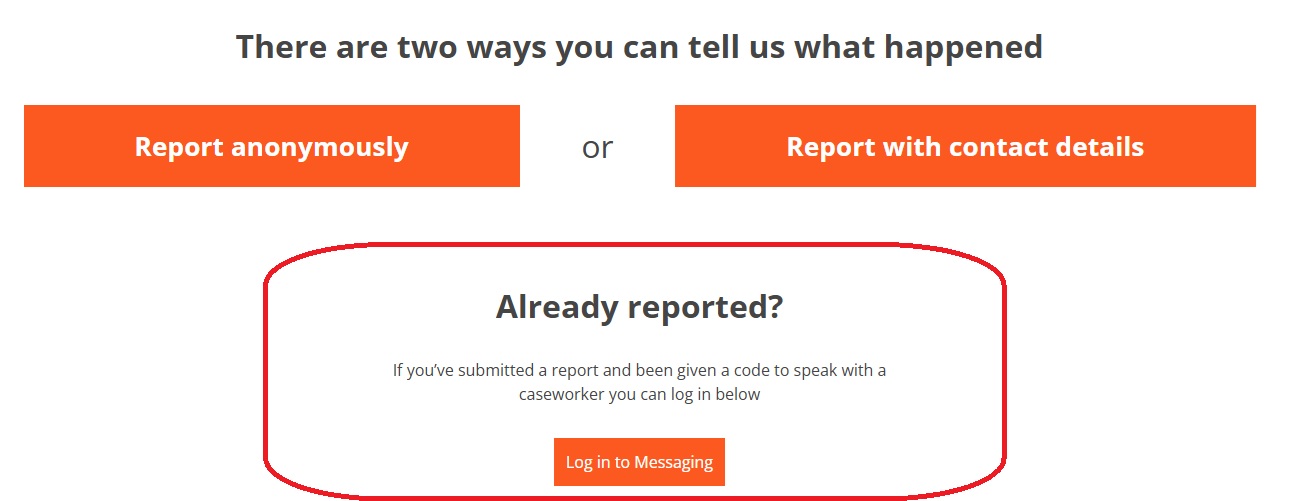
- Step 3: Log Back In to Check Replies Because the system holds no email address or phone number for you, automatic alerts cannot be sent when an advisor responds. To check for updates or continue the conversation, please return to the Report + Support home page and scroll to the section marked "Already reported?". Click "Log in with code" and enter your 16-character passcode.
4. What Can I Expect After Submitting a Report?
- Timely responses: We actively monitor submissions and aim to respond to your first message within 3 working days. Depending on the nature of your report, there may occasionally be slight delays, so please check back regularly.
- Action Without Direct Involvement: Remaining anonymous limits the School’s ability to conduct formal disciplinary investigations against specific individuals. However, we can still take meaningful action—such as offering wellbeing support, monitoring patterns of concern, or increasing safety measures in specific campus areas.
- 4-Week Timeout Rule: To manage active caseloads effectively, if there is no activity on your message thread for 4 consecutive weeks after an advisor replies, the messaging feature for that submission will be discontinued and the report closed. If you wish to restart a conversation about your report beyond this date, you will need to submit a new report.
- Strict Privacy: 2-way messaging is entirely confidential as long as you don't reveal your identity within the report. At no point will you be asked for your contact details and there is no way to link the report to you.
Further Support & Contact
For full details on reporting options, School’s policies, or wellbeing support, please visit: https://reportandsupport.lshtm.ac.uk/